Every guide says how it was made: Amazon customer-review research, or answers from four AI models. A human editor checks each one. As an Amazon Associate we earn from qualifying purchases. Learn more›
Updated: October 21, 2026
Best Mouse With a Mute Button for Teams and Zoom Calls (2026)
People search for a mouse with a Teams mute button because reaching for the keyboard mid-sentence is clumsy. We asked the AI panel which mouse to buy for this job. Their answers agreed on one model and on one uncomfortable fact.
Quick answer
No mainstream mouse ships with a labeled, factory-built mute key. All four models in the panel said so in their notes. The fix is a mouse with programmable buttons and one button set to the meeting app's mute shortcut. The Logitech MX Master 3S was the only mouse all four models recommended, and ChatGPT and Gemini both ranked it first.
Is there a mouse with a dedicated mute button?
Not in the sense most people mean. None of the models could name a current mouse sold on Amazon.com with a printed mute key that works out of the box. ChatGPT said it could not verify one. Grok said no mainstream mouse has a factory-labeled mute button, and Claude said almost none ship with one. Gemini said most standard mice lack a factory-hardwired microphone switch and rely on software mapping instead.
What does exist is a side button you can program. You tell the mouse software to send the same keystroke Teams or Zoom already uses for mute. To the meeting app, your thumb is a keyboard shortcut.
Microsoft Teams
Windows: Ctrl + Shift + M
Mac: Cmd + Shift + M
Works while the Teams window is in focus
Zoom
Windows: Alt + A
Mac: Cmd + Shift + A
Turn on the global shortcut in Zoom settings to mute from any window
Windows 11 call mute
Windows: Win + Alt + K
Mac: Not available
Mutes supported call apps from the taskbar, including Teams
Mute shortcuts for common call apps
App
Windows
Mac
Note
Microsoft Teams
Ctrl + Shift + M
Cmd + Shift + M
Works while the Teams window is in focus
Zoom
Alt + A
Cmd + Shift + A
Turn on the global shortcut in Zoom settings to mute from any window
Windows 11 call mute
Win + Alt + K
Not available
Mutes supported call apps from the taskbar, including Teams
Which mouse with a mute button should you buy?
Every pick below works by mapping a button to the Teams or Zoom mute shortcut. The cards show which AI models chose each mouse and what they said.
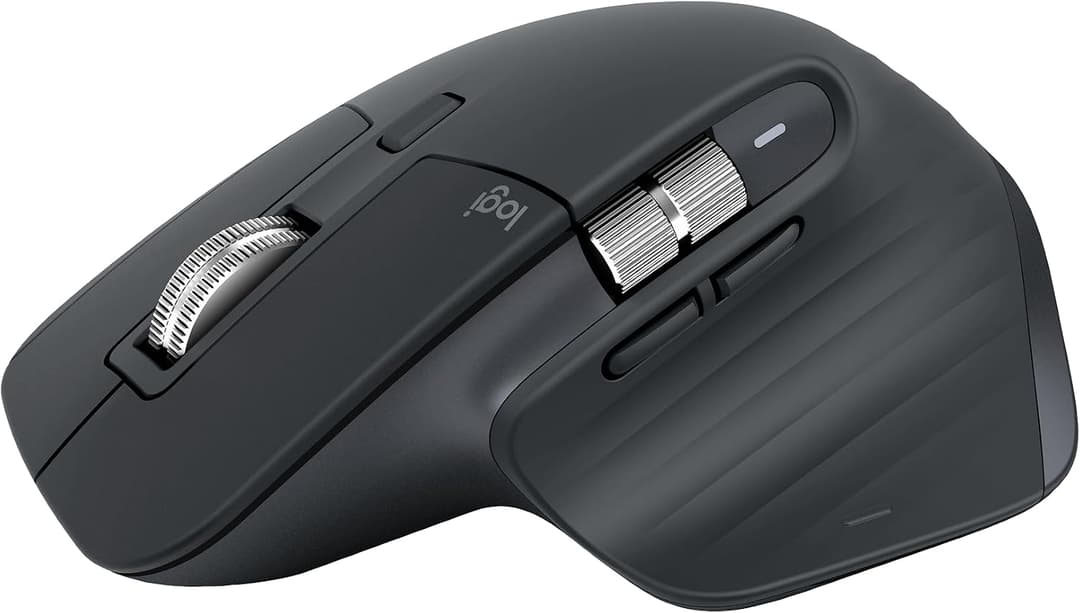
Best for: Most people on daily Teams or Zoom calls
The only mouse all four models recommended, and ChatGPT and Gemini ranked it first. Its side and gesture buttons can be set to mute in Logi Options+.
Why the AIs picked it
+Picked by all four AI models
+Side and gesture buttons map to mute and camera controls (Claude, Gemini)
+Quiet clicks your microphone will not pick up (Claude, Gemini)
+8K DPI tracking and MagSpeed scrolling, per the Amazon listing
Watch out for
!No factory-labeled mute key: you assign one in Logi Options+ (ChatGPT)
!This listing is the Bluetooth version with no USB receiver
!Grok ranked the newer MX Master 4 above it
What the AI models said (4)
Claude (ranked #2):“Its gesture and side buttons can be mapped to mute, camera on/off and other Teams and Zoom controls in Logi Options+. The quiet clicks will not be picked up by your mic on calls.”
ChatGPT (ranked #1):“A premium productivity mouse with programmable buttons and Logitech Options+ customization, making it a strong candidate for assigning a microphone-mute shortcut for Teams or Zoom. It does not have a dedicated, factory-labeled microphone-mute button, so setup is required.”
Gemini (ranked #1):“Through Logi Options+ software, you can configure predefined per-app mute toggles for Microsoft Teams and Zoom on any side button, complemented by near-silent clicks.”
Grok (ranked #2):“Previous flagship with Quiet Click switches, MagSpeed scroll wheel, and fully programmable side buttons that can be mapped to mute in video call apps via Logi Options+. Still widely available on Amazon.”
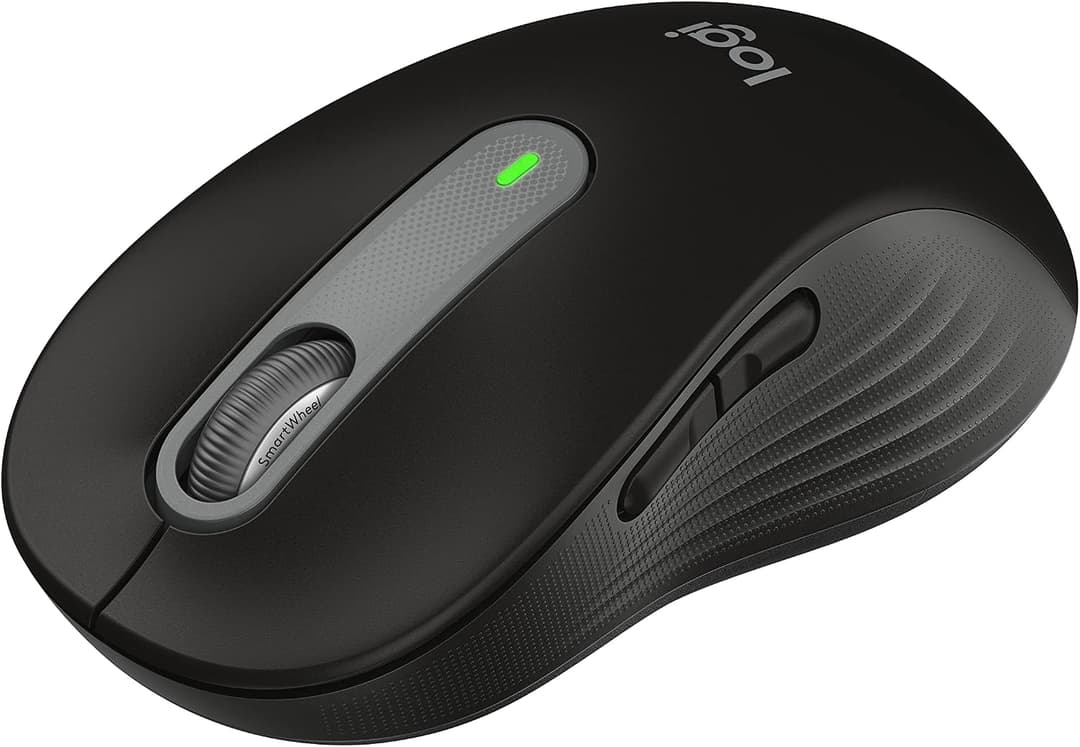
Best for: Small to medium hands and tighter budgets
Claude, Gemini and Grok all named it as the quieter, lower-cost alternative to the MX line.
Why the AIs picked it
+Quiet clicks (Claude, Grok)
+Programmable side buttons map to mute in Logi Options+ (Gemini, Grok)
+Long battery life (Grok)
Watch out for
!This listing fits small to medium hands; a larger M650 L exists
!Mute only works with Logi Options+ installed
What the AI models said (3)
Claude (ranked #5):“A quiet-click, mid-size mouse whose programmable side buttons work with Logi Options+ app profiles for call controls. A solid lower-cost alternative to the MX line.”
Gemini (ranked #2):“An accessible, quiet everyday mouse whose side buttons seamlessly map to microphone mute shortcuts via Logi Options+.”
Grok (ranked #3):“Comfortable full-size silent mouse with programmable buttons and long battery life that supports custom mute assignments for meetings. Available on Amazon as a solid mid-range option.”
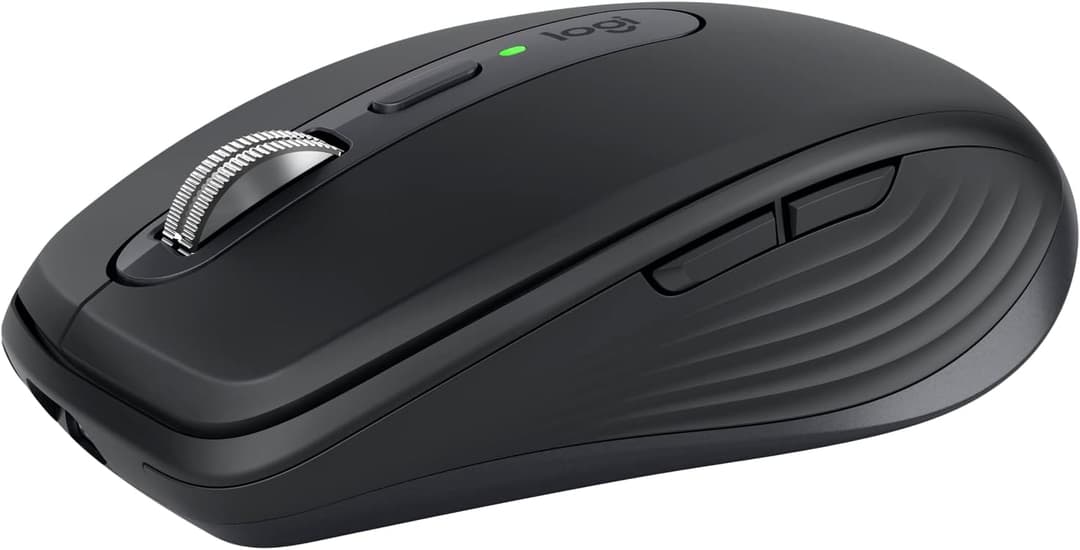
Three models picked it as the compact option. Claude noted it tracks on almost any surface, including glass.
Why the AIs picked it
+Compact and travel-friendly (Gemini, Grok)
+Silent clicks (Grok)
+Side buttons map to mute and video toggle (Claude)
Watch out for
!Small body can feel cramped for big hands over a long day
!Mute only works with Logi Options+ installed
What the AI models said (3)
Claude (ranked #3):“A compact travel mouse whose side buttons map to mic mute and video toggle in Zoom and Teams, and it tracks on almost any surface, including glass.”
Gemini (ranked #3):“A portable travel-friendly companion featuring native Logi Options+ support for instant Teams and Zoom mute key assignments.”
Grok (ranked #4):“Compact travel-friendly version of the MX series with silent clicks and programmable controls suitable for assigning mute functions during Zoom or Teams calls. Sold on Amazon.”
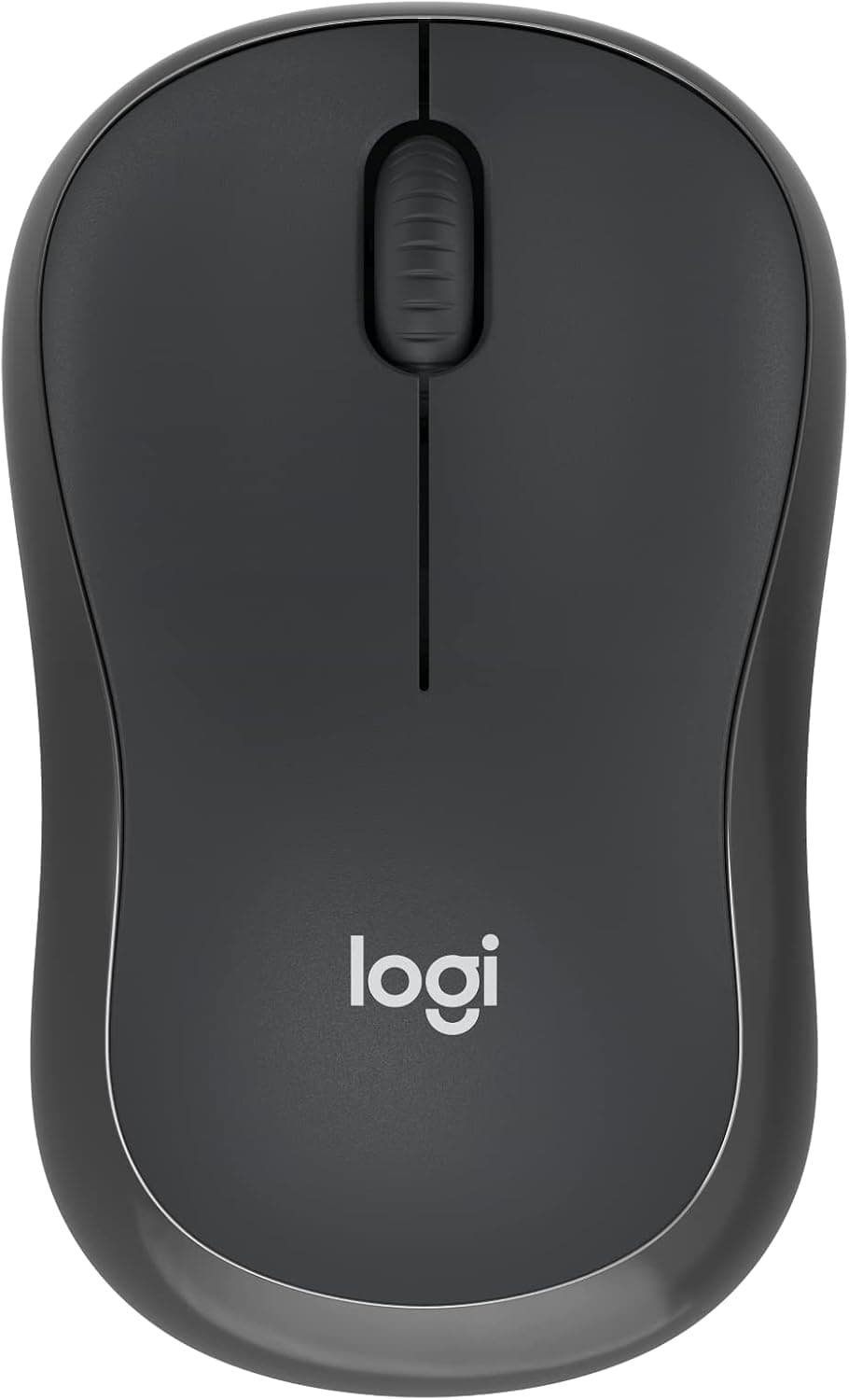
Claude's first pick. Claude said that with the Teams and Zoom profiles in Logi Options+, the middle button mutes and unmutes the mic by default.
Why the AIs picked it
+Claude's #1 pick
+Bluetooth with no dongle needed, per the Amazon listing
+Listing claims 90% less click noise
Watch out for
!Only one model picked it
!Confirm the middle-button mute on Logitech's support pages
!Claude noted some work laptops block Logi Options+
What the AI models said (1)
Claude (ranked #1):“Once you install Logi Options+ with the Teams and Zoom app profiles, the middle button mutes and unmutes the mic by default. This is the closest thing to a built-in mute button on an inexpensive, silent-click mouse.”
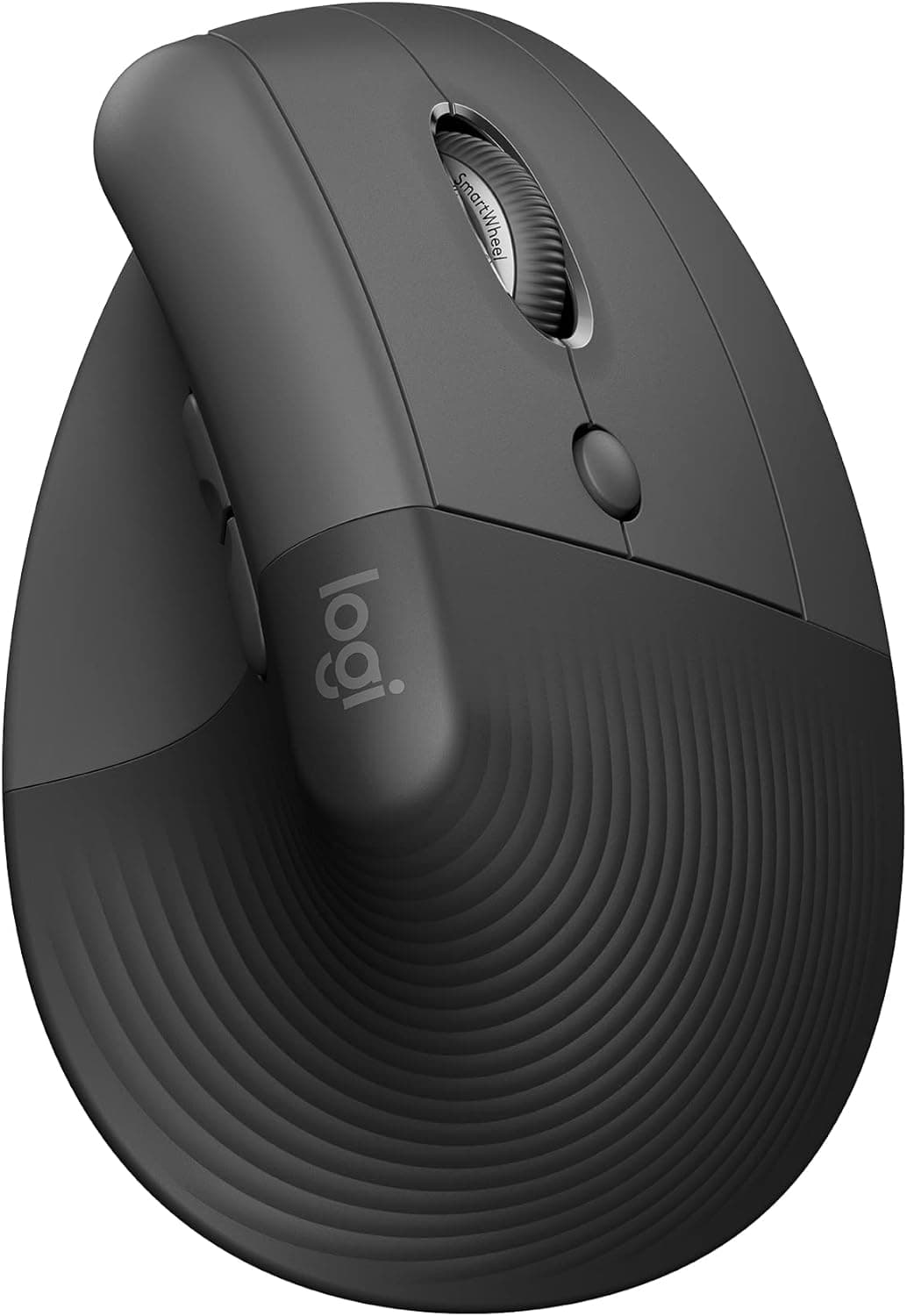
Claude and Grok picked this vertical mouse for call-heavy days because the grip eases wrist strain.
Why the AIs picked it
+Vertical grip eases wrist strain (Claude, Grok)
+Thumb buttons can be set to mute or unmute (Claude, Grok)
+SilentTouch clicks (Grok)
Watch out for
!A vertical mouse takes a few days to get used to
!Two of four models picked it
What the AI models said (2)
Claude (ranked #4):“A good fit for long back-to-back meeting days. The vertical grip eases wrist strain, and its programmable thumb buttons can be set to mute or unmute.”
Grok (ranked #5):“Vertical ergonomic design with SilentTouch clicks and programmable buttons that can handle mute shortcuts while reducing wrist strain during long call-heavy workdays. Available on Amazon.”
As an Amazon Associate we earn from qualifying purchases. Prices and stock change; check the listing before you buy.
What did the AI panel recommend?
We asked Claude, ChatGPT, Gemini, Grok the same question: “What is the best computer mouse with a dedicated mute button for Microsoft Teams and Zoom video calls to buy on Amazon in 2026?”
Razer Pro Click Mini (1/4 votes): Not found as a new listing on Amazon.com; Razer now sells the Pro Click V2.
HP 930 Creator Wireless Mouse (1/4 votes): Not found as a new listing on Amazon.com; HP lists the 935 Creator instead.
Where did the models disagree?
ChatGPT leaned toward gaming mice (G502 X, G604) for their button count; Gemini and Grok picked quiet office mice (Signature M650, MX Anywhere 3S).
Grok ranked the newer Logitech MX Master 4 first; ChatGPT and Gemini ranked the MX Master 3S first.
Claude (Claude (claude.ai app))
Logitech M240 Silent Bluetooth Mouse: Once you install Logi Options+ with the Teams and Zoom app profiles, the middle button mutes and unmutes the mic by default. This is the closest thing to a built-in mute button on an inexpensive, silent-click mouse.
Logitech MX Master 3S: Its gesture and side buttons can be mapped to mute, camera on/off and other Teams and Zoom controls in Logi Options+. The quiet clicks will not be picked up by your mic on calls.
Logitech MX Anywhere 3S: A compact travel mouse whose side buttons map to mic mute and video toggle in Zoom and Teams, and it tracks on almost any surface, including glass.
Logitech Lift Vertical Ergonomic Mouse: A good fit for long back-to-back meeting days. The vertical grip eases wrist strain, and its programmable thumb buttons can be set to mute or unmute.
Logitech Signature M650: A quiet-click, mid-size mouse whose programmable side buttons work with Logi Options+ app profiles for call controls. A solid lower-cost alternative to the MX line.
ChatGPT (ChatGPT (free plan, default model))
Logitech MX Master 3S: A premium productivity mouse with programmable buttons and Logitech Options+ customization, making it a strong candidate for assigning a microphone-mute shortcut for Teams or Zoom. It does not have a dedicated, factory-labeled microphone-mute button, so setup is required.
Logitech G502 X: Its programmable buttons offer flexibility for assigning a supported mute shortcut or macro, especially for users who want several customizable controls. It is a gaming mouse rather than a purpose-built video-call mouse, and mute behavior depends on software configuration.
Logitech G502 X LIGHTSPEED: This wireless version offers programmable controls that can be configured for a compatible meeting-mute workflow. It does not include a dedicated microphone-mute button by default; verify software and shortcut compatibility with your operating system.
Logitech G604 LIGHTSPEED: Its multiple programmable controls make it a potentially useful option for assigning meeting shortcuts, if you can find a remaining listing. This is an older model, and current Amazon.com availability and software support are uncertain.
Gemini (Gemini Flash (Gemini app))
Logitech MX Master 3S: Through Logi Options+ software, you can configure predefined per-app mute toggles for Microsoft Teams and Zoom on any side button, complemented by near-silent clicks.
Logitech Signature M650: An accessible, quiet everyday mouse whose side buttons seamlessly map to microphone mute shortcuts via Logi Options+.
Logitech MX Anywhere 3S: A portable travel-friendly companion featuring native Logi Options+ support for instant Teams and Zoom mute key assignments.
Razer Pro Click Mini: Offers silent mechanical switches and extensive multi-button remapping via Razer Synapse to bind app-specific mute hotkeys.
HP 930 Creator Wireless Mouse: Provides seven programmable buttons that can be assigned custom meeting hotkeys using HP Accessory Center software.
Grok (Grok (grok.com, Auto mode))
Logitech MX Master 4: Ergonomic productivity mouse with multiple programmable buttons, Quiet Click technology, and Logi Options+ software that lets you assign a dedicated mute shortcut for Teams and Zoom (plus Actions Ring for quick meeting controls). Actively sold on Amazon with strong reviews.
Logitech MX Master 3S: Previous flagship with Quiet Click switches, MagSpeed scroll wheel, and fully programmable side buttons that can be mapped to mute in video call apps via Logi Options+. Still widely available on Amazon.
Logitech Signature M650: Comfortable full-size silent mouse with programmable buttons and long battery life that supports custom mute assignments for meetings. Available on Amazon as a solid mid-range option.
Logitech MX Anywhere 3S: Compact travel-friendly version of the MX series with silent clicks and programmable controls suitable for assigning mute functions during Zoom or Teams calls. Sold on Amazon.
Logitech Lift: Vertical ergonomic design with SilentTouch clicks and programmable buttons that can handle mute shortcuts while reducing wrist strain during long call-heavy workdays. Available on Amazon.
Editor's note: All three models said no mainstream mouse has a factory-labeled mute key. Every pick works by mapping a programmable button to the Teams or Zoom mute shortcut.
AI answers can be wrong or out of date. Check the current listing, price and return policy on Amazon before you buy.
Which mouse came up most often?
Four models named ten different mice. Four got more than one vote, and all of them are Logitech mice that work with Logi Options+.
Logitech MX Master 3S: named by all four. Ranked first by ChatGPT and Gemini, second by Claude and Grok.
Logitech Signature M650: named by Claude, Gemini and Grok as the quieter, lower-cost option.
Logitech MX Anywhere 3S: named by Claude, Gemini and Grok as the compact pick for travel.
Logitech Lift: named by Claude and Grok for long meeting days, because the vertical grip eases wrist strain.
One vote each: Logitech M240 Silent (Claude's first pick), Logitech MX Master 4 (Grok's first pick), Logitech G502 X and Logitech G604 LIGHTSPEED (ChatGPT), Razer Pro Click Mini and HP 930 Creator Wireless Mouse (Gemini).
ChatGPT flagged the G604 LIGHTSPEED itself as an older model with uncertain availability. Treat it as a listing to check, not a recommendation.
Claude made the most specific claim: with the Teams and Zoom app profiles in Logi Options+, the M240's middle button mutes the microphone by default. If that matters to you, confirm it on Logitech's support pages before you buy.
Where did the models disagree?
The split was about what kind of mouse suits a call-heavy day. ChatGPT leaned toward gaming mice because they have the most buttons. Claude, Gemini and Grok picked office mice with quiet clicks, which matters when your microphone is open.
The first picks split too. Grok ranked the newer MX Master 4 above the 3S, and Claude put the low-cost M240 Silent first. The MX Master 3S is the safe middle: every model listed it, and none ranked it lower than second.
How do you set a mouse button to mute Teams or Zoom?
It takes about five minutes with the maker's software. These steps work for any mouse with programmable buttons.
Install the mouse maker's software
Logitech uses Logi Options+, Razer uses Synapse and HP uses HP Accessory Center. The models named these three tools. Without the software, extra buttons only do back and forward. Claude warned that some locked-down work laptops block this software, so check with IT first.
Pick a button you will not press by accident
A thumb button works best. Avoid the button next to the one you use for back, or you will mute yourself while browsing.
Assign the meeting app's mute shortcut
Set the button to send a keystroke: Ctrl + Shift + M for Teams on Windows, Alt + A for Zoom on Windows. Use the Mac versions on a Mac. Some software lets you set the button per app, so one button can mute both.
Turn on Zoom's global shortcut
In Zoom, open Settings, then Keyboard Shortcuts, and tick the global box next to Mute/Unmute My Audio. Otherwise the button only works when the Zoom window is in front.
Test it before a real call
Join a test meeting and press the button while another window is in front. Check that the microphone icon changes. Fix it now, not when a client is waiting.
Should you buy a silent-click mouse or a mute-button mouse?
They solve different problems. A mute button stops your voice reaching the call. Silent clicks stop the click sound reaching it while you are unmuted. If you share a room or present often, you want both, and the MX Master 3S and Signature M650 cover both. Our guide to the best silent mouse for shared workspaces goes deeper on the quiet side.
FAQ
Is there a mouse with a mute button for Teams?
Not as a labeled, factory-built key on mainstream mice. All four AI models in our panel said the same thing in their notes. The practical answer is a mouse with programmable buttons, such as the Logitech MX Master 3S, with one button set to the Teams shortcut Ctrl + Shift + M.
What is the best mouse for video calls?
The Logitech MX Master 3S was the only mouse that Claude, ChatGPT, Gemini and Grok all recommended, and two of them ranked it first. It has quiet clicks and several buttons you can map in Logi Options+. Grok ranked the newer MX Master 4 first, and Claude ranked the budget Logitech M240 Silent first.
Can I mute Zoom with a mouse button when Zoom is in the background?
Yes, if you turn on Zoom's global shortcut for Mute/Unmute My Audio. Without it, the keystroke your mouse sends only reaches Zoom when its window is active.
Do I need a gaming mouse to get extra buttons?
No. ChatGPT suggested gaming mice like the Logitech G502 X for their button count, but Claude, Gemini and Grok picked quiet office mice such as the Logitech Signature M650 and MX Anywhere 3S. Two or three side buttons are enough for mute plus back and forward.
How this page was made
On October 21, 2026 we asked Claude, ChatGPT, Gemini and Grok the same question in a fresh chat: which mouse with a dedicated mute button for Microsoft Teams and Zoom calls to buy on Amazon.com. Their full answers are archived. A product is linked only after our editor checks its Amazon listing. Read how we research.

 Check today's price on Amazon →